This project is password protected
Enter the password to view this case study.
Incorrect password
Prodicle
A suite of web apps to streamline Netflix’s TV and film productions
For Netflix (Via DockYard)
User research, problem definition, design iterations, finalized design, prototyping, user testing, QA, 0-to-1
Many teams (team makeup: product owner, FE, BE, project management, QA)
2016-2019
Background
Competition to be the best streaming service has never been higher, and original content is a major differentiator. Netflix approached DockYard to build a suite of applications (Prodicle) to support the creation of original productions.
Ecosystem
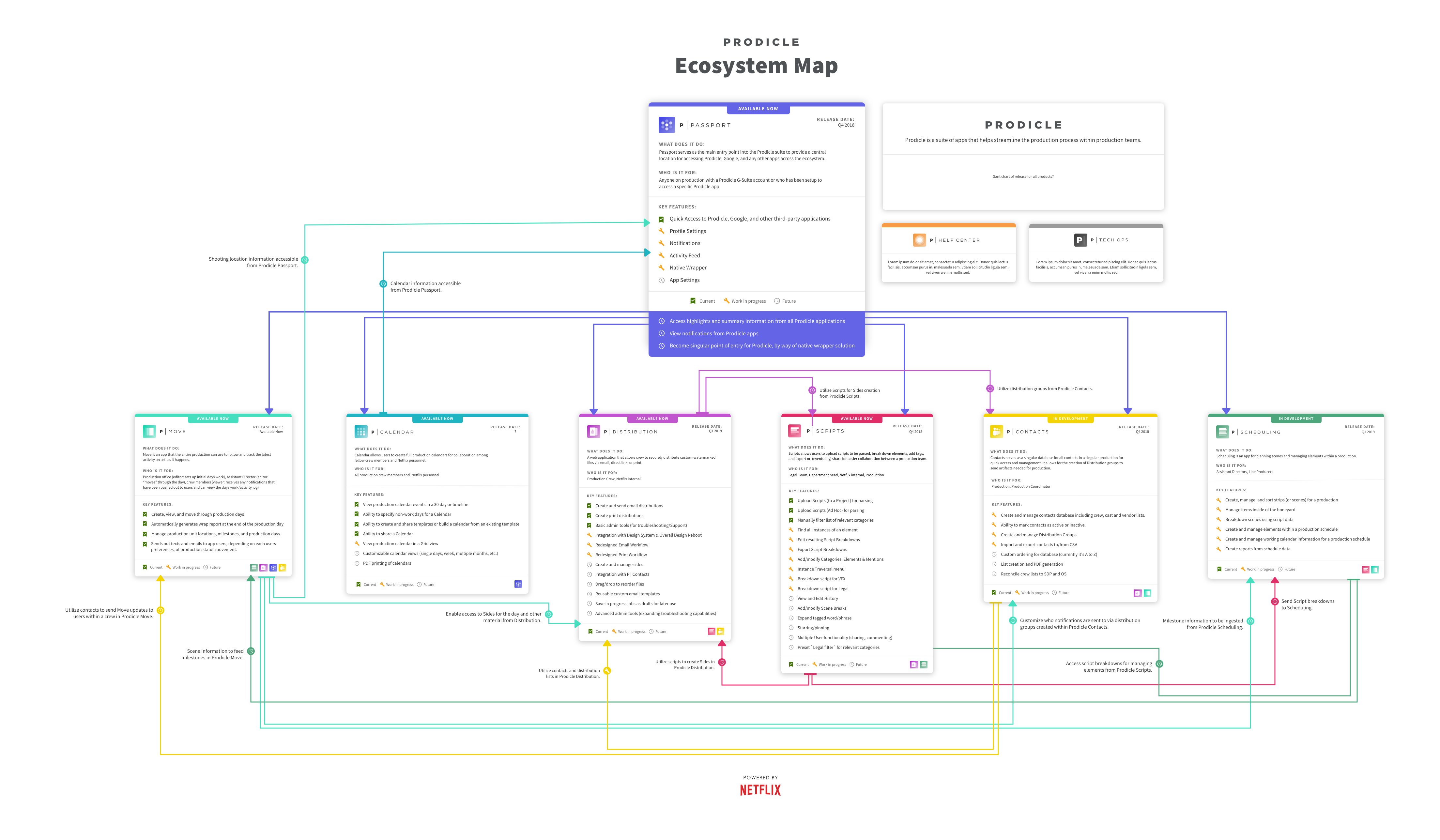
The Prodicle ecosystem supports all major production phases. Over three years, I designed four applications (Move, Calendar, Contacts, and Scheduling) and co-developed the suite’s design system (Core).
P | Move – A responsive app for coordinating production days
Users
2nd Assistant Director, Production Assistant
Problem
There isn’t an easy way to plan a production shoot day.
Solution
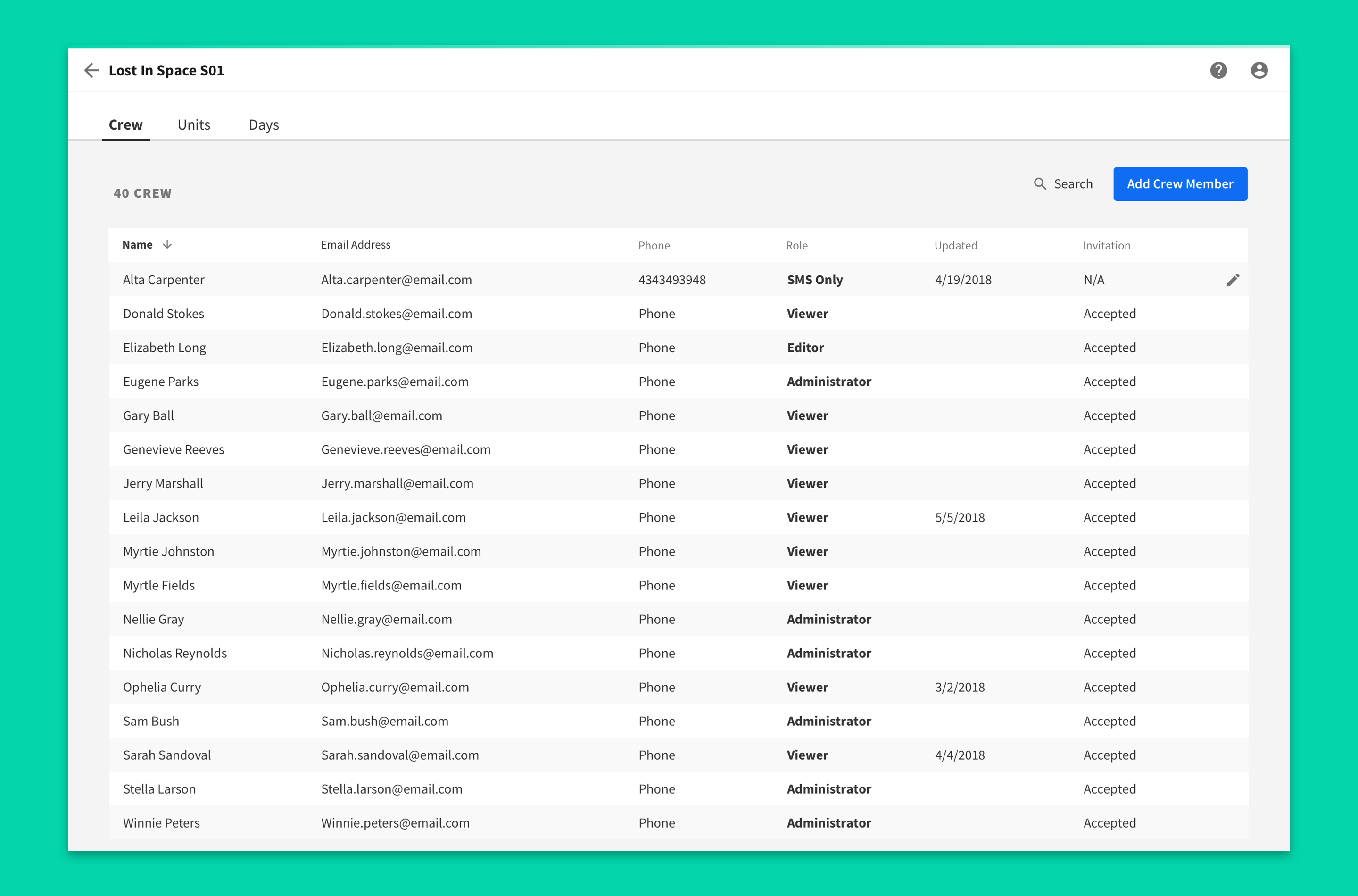
Research with users and product owners helped us craft an experience tailored to the production environment. Together, we identified key milestones (crew call, lunch, company move, etc.) that typically occur throughout the day. This brought structure to the shoot day and consistency across productions. We also enabled users to add crew members so the right people stay informed.
Problem
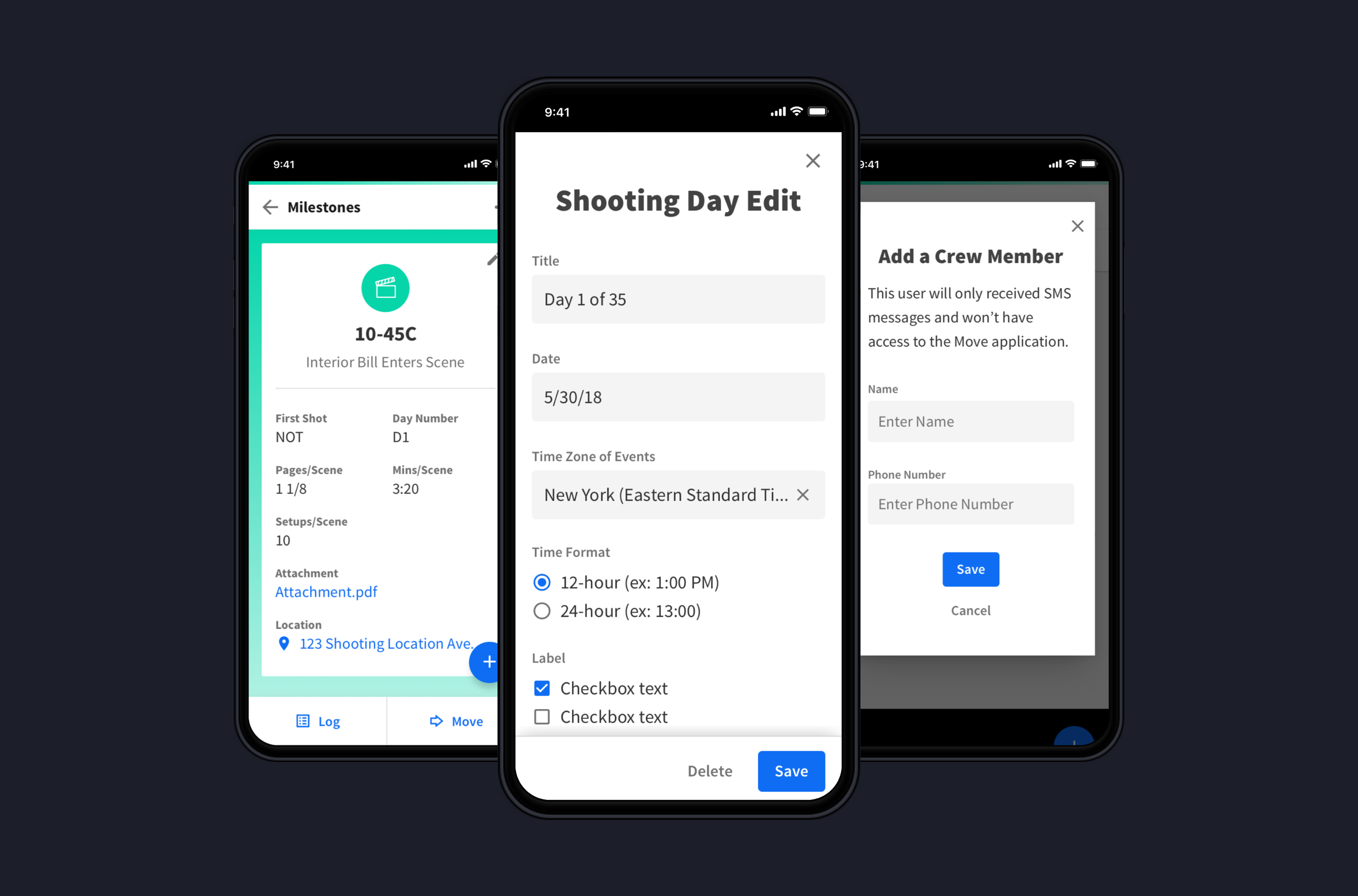
Changes on set aren’t communicated effectively or in a format that’s easy for users to access.
Solution
We designed a simple way to advance milestones (“Move”) that immediately notifies users (via in-app and SMS) when a change occurs on set. This reduces ambiguity about production status and keeps everyone aligned. Because Move is fully responsive, it’s easy to access on set and reduces reliance on paper-based communication.
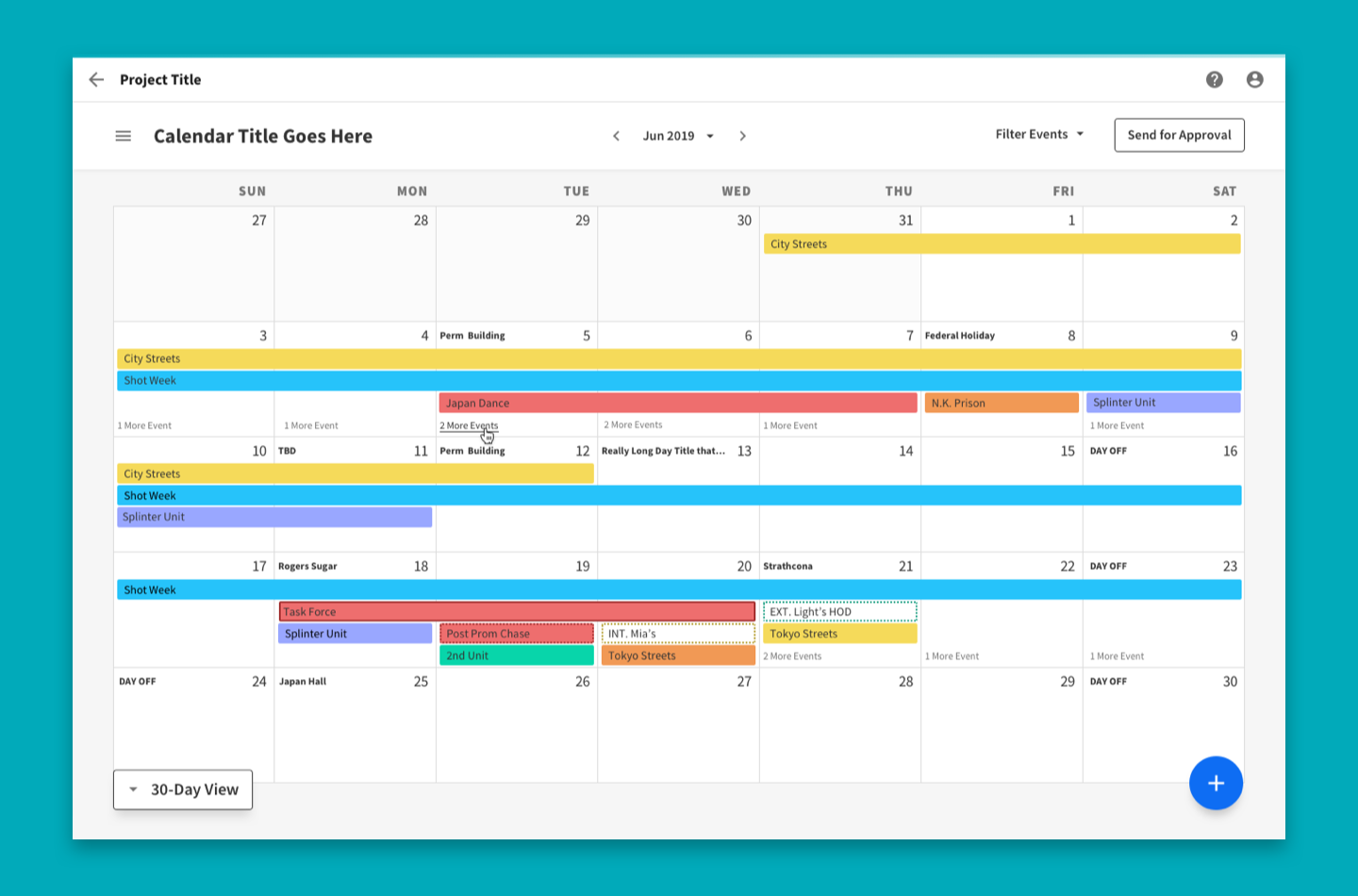
P | Calendar – A high-level calendar building tool for planning productions
Users
Production Office Coordinator, Line Producer, Studio Coordinator
Problem
Existing calendar tooling doesn’t accommodate production workflows.
Solution
In partnership with users and product owners, we identified core needs such as event colors, event types, and the ability to tag events to specific episodes. These details are essential for understanding how the calendar influences later stages of production. We also prioritized efficiency by enabling direct manipulation in the grid (drag and drop, click to create, click and hold to extend, etc.), which sped up changes.
Problem
The existing sharing experience for calendar building is limited.
Solution
We first clarified what users needed from sharing. Research revealed a distinction between sharing for collaboration and sharing for approval. Collaboration mattered during calendar creation so peers could provide feedback. After rounds of revision, the calendar would be sent to studio personnel for approval, effectively confirming, “This is how the production will be shot.” We supported both flows and added the infrastructure needed to enable collaboration.
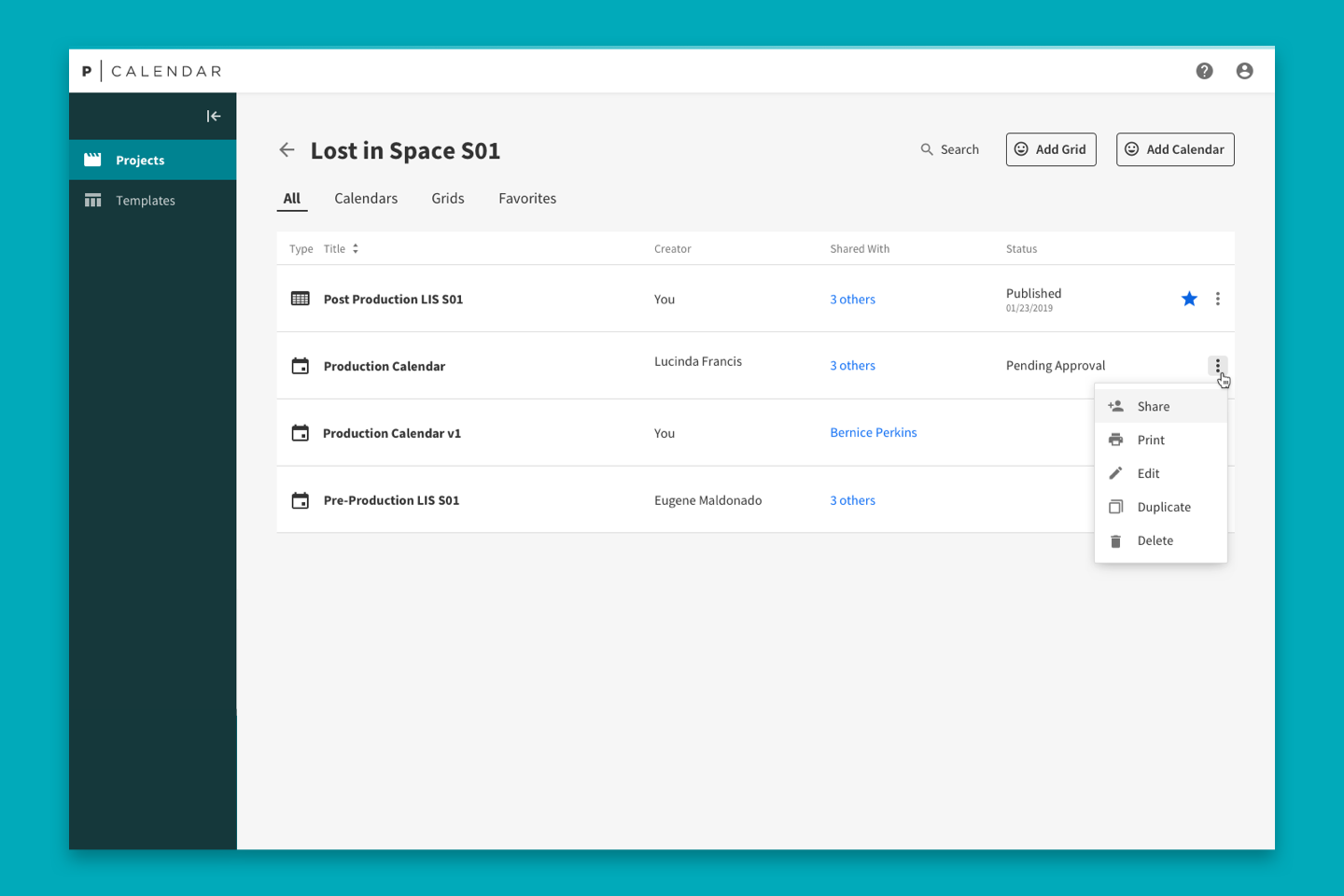
P | Core – A design system for the Prodicle Suite
After designing P | Move and P | Calendar, it was clear more Prodicle applications were on the way. Since I was already working within a consistent visual style, the natural next step was formalizing it into a reusable component library.
Together with another designer, I researched, documented, and helped implement a design system for the suite — P | Core.
Our research covered existing design systems, best practices, and key challenges like component maintenance, documentation, and cross-team allocation. From there, the benefits came into focus: consistent UI/UX across applications, less time spent on stylistic decisions, greater design and development efficiency, and smooth propagation of updates across the suite.
The result is a living component library with thorough usage guidelines — reducing ambiguity and clarifying how components should be applied across Prodicle.
P | Contacts – A place to manage production contact records
Users
Production Office Coordinator, Line Producer, Studio Coordinator
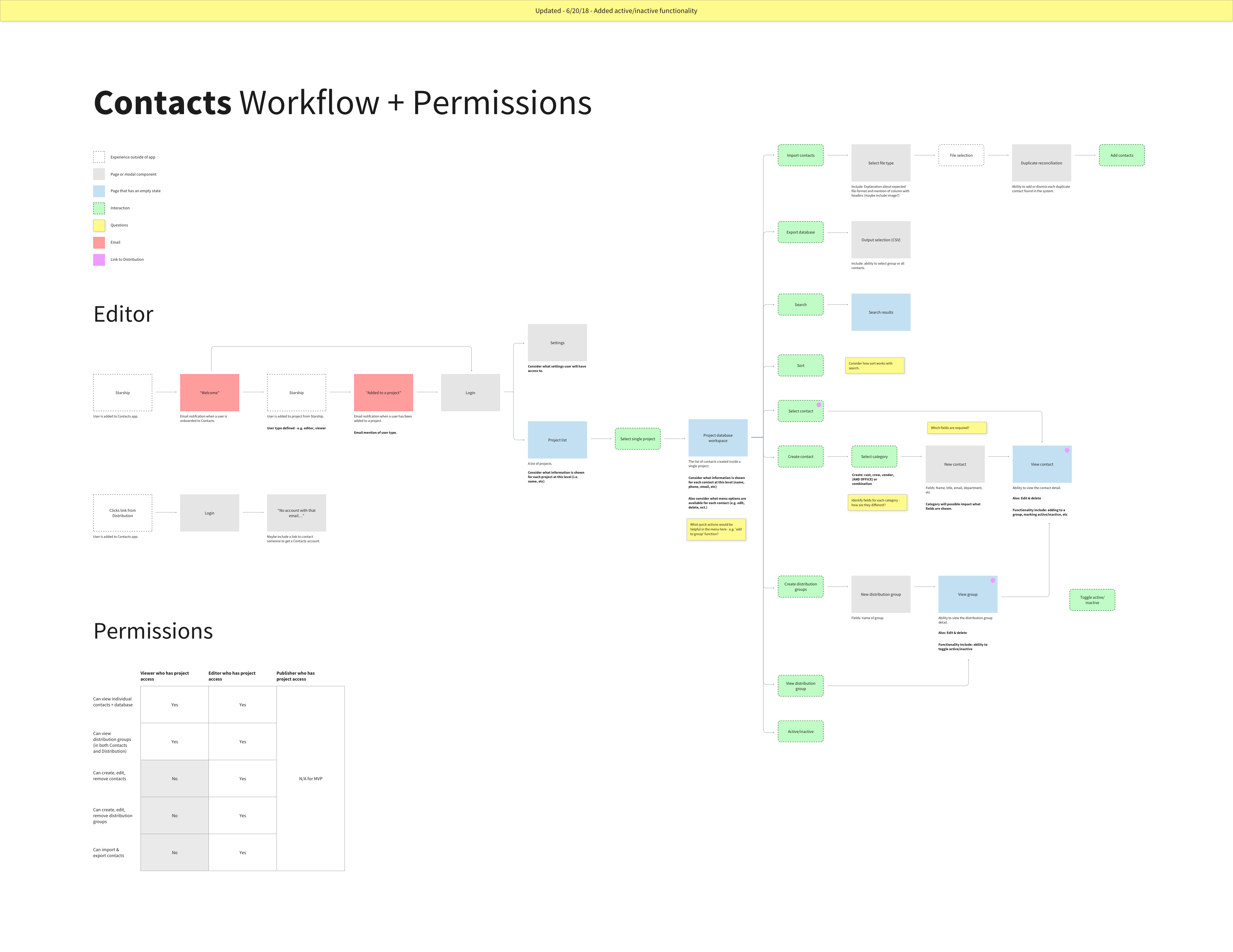
Our first challenge was understanding how users currently build and navigate a contacts database for a production. We conducted an onsite visit and ran multiple feedback sessions alongside our product owner, resulting in extensive notes and a comprehensive workflow diagram.
Problem
Contact information isn’t captured consistently and is often siloed in personal email accounts or inaccessible software.
Solution
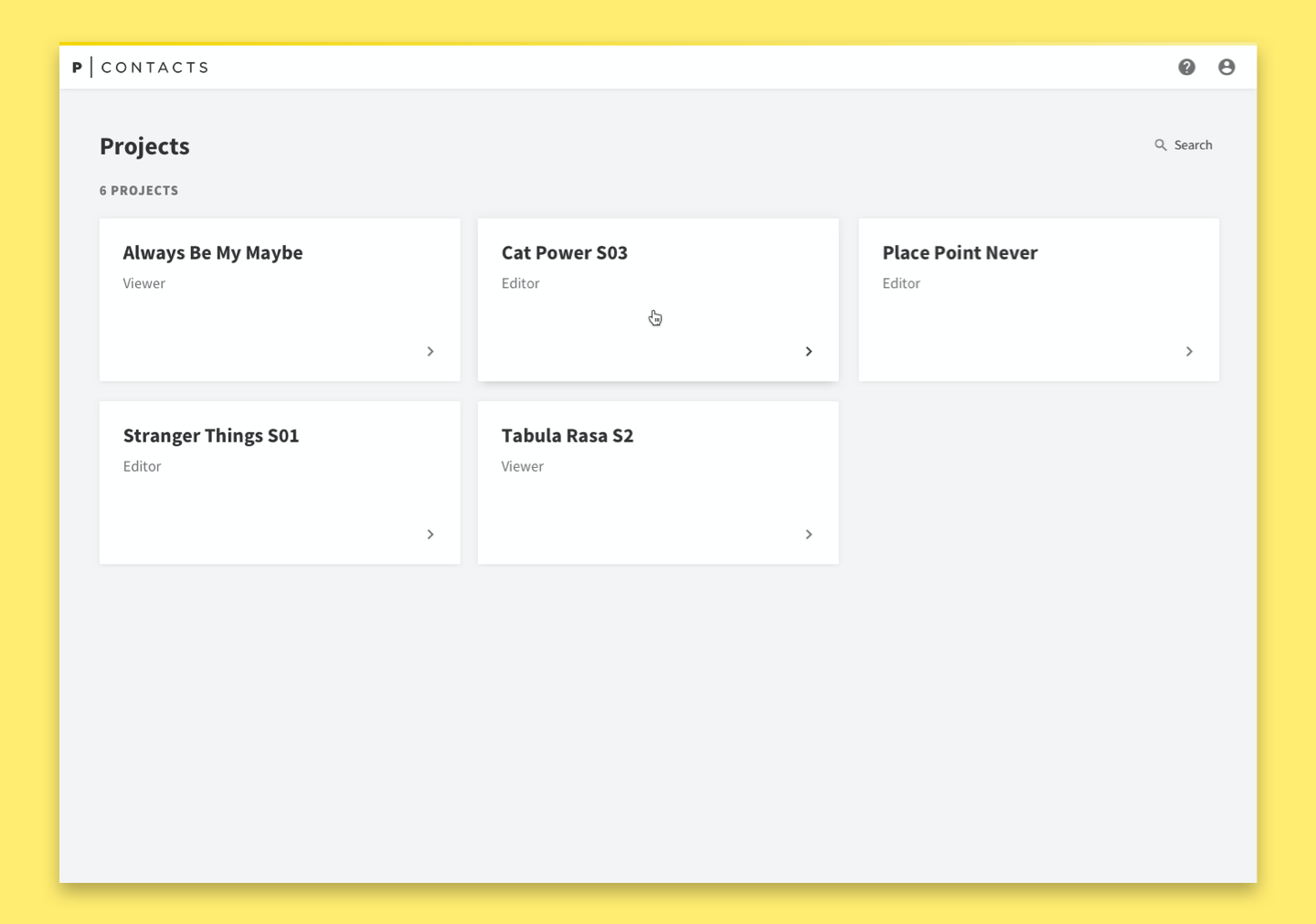
We identified the types of information users capture for different roles and uncovered a need for three distinct record types (crew, vendor, and cast), each requiring slightly different fields. To reduce siloed information, we structured the application around projects. Once a user is granted access to a project, they can access the database. Permissions determine whether the user can make changes.
Problem
Users expect the P|Contacts table design and functions to match their mental models.
Solution
Our initial design organized contacts alphabetically. After user feedback, we shifted to organizing contacts by department, which aligned better with expectations and prepared the database for export.
We also created distribution groups: collections of contact records that receive production documentation. These groups were important data that other apps would rely on, so we made them easy to access and customize in the side navigation.
Problem
Contact records (lists) need to be exported.
Solution
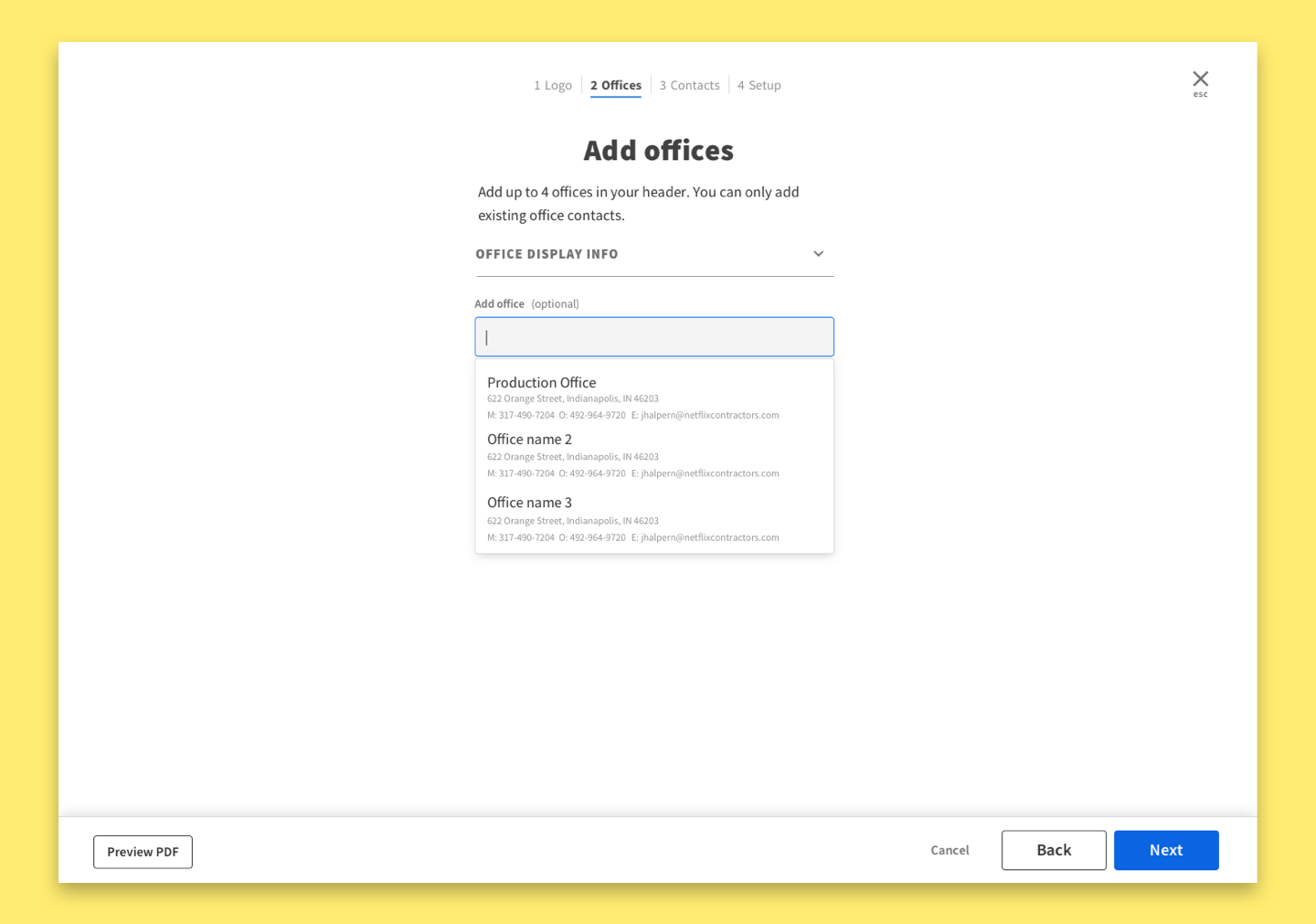
By observing existing workflows, we learned that contact databases must be exported and shared. Sharing lists helps people on set understand who they will be working with, and how to reach them. It also helps the studio understand staffing and compensation needs. Because list layouts vary widely across productions due to different software, we designed a consistent layout that meets most needs while staying legible and clean.
P | Scheduling – A tool for translating information from a script into a schedule
Users
Assistant Director, Line Producer, Unit Production Manager
Like the other applications, this began with an onsite kickoff. We held in-depth discussions with our product owner and users to understand the problem space.
Problem
Problem: Users need to quickly and efficiently break down a script.
Solution
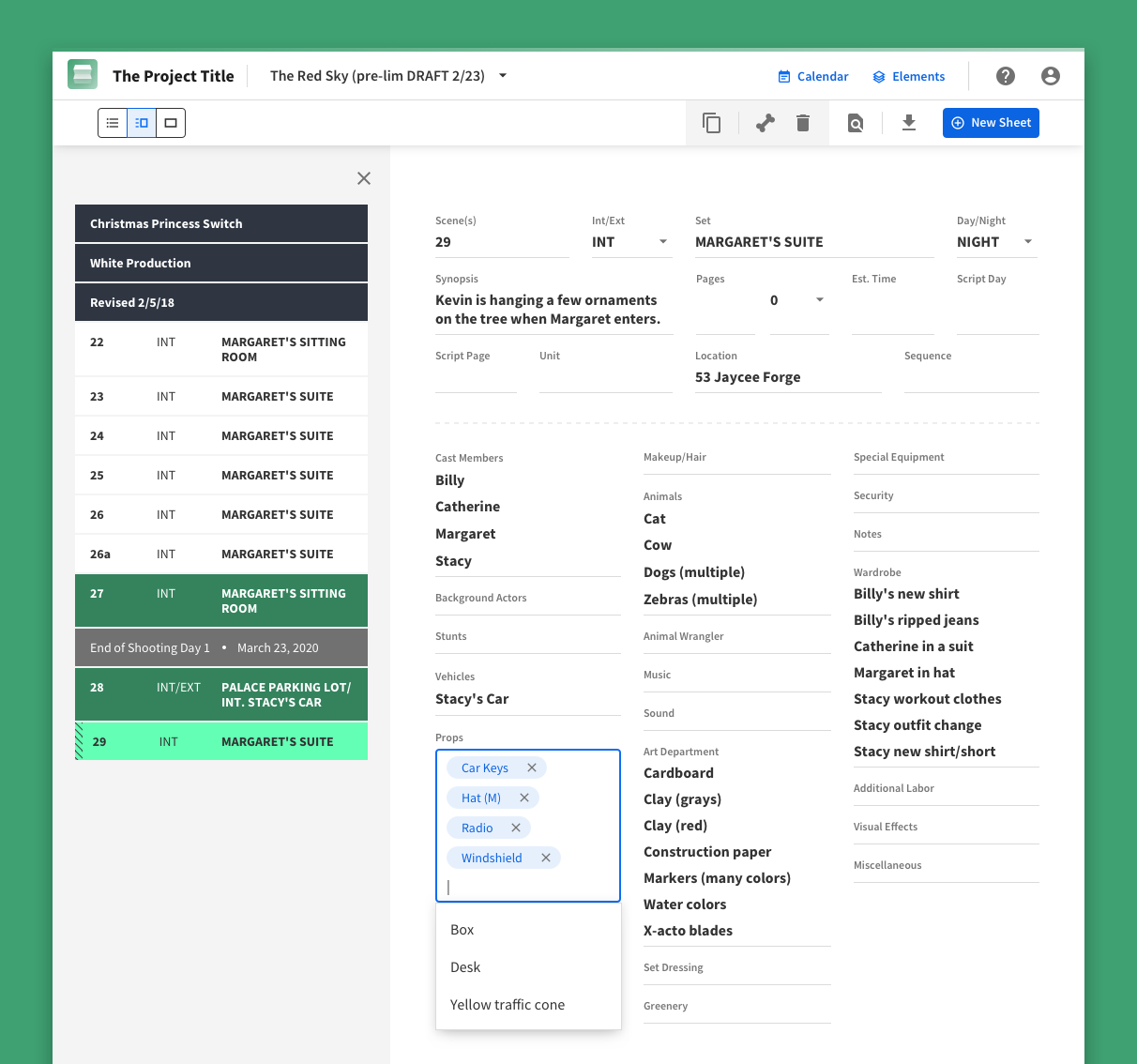
A key responsibility of a P | Scheduling user is reading a script and identifying the resources (“elements”) needed for production, from actors to props. Thoroughness pays off because it creates an accurate view of complexity and helps users become familiar with the story. The UX on our first pass was too slow and didn’t use space efficiently. After testing, we redesigned the experience for faster input and smaller screens. Because the field types and interactions were complex, they required substantial documentation.
Problem
Users need to manage and organize scenes based on shooting preferences.
Solution
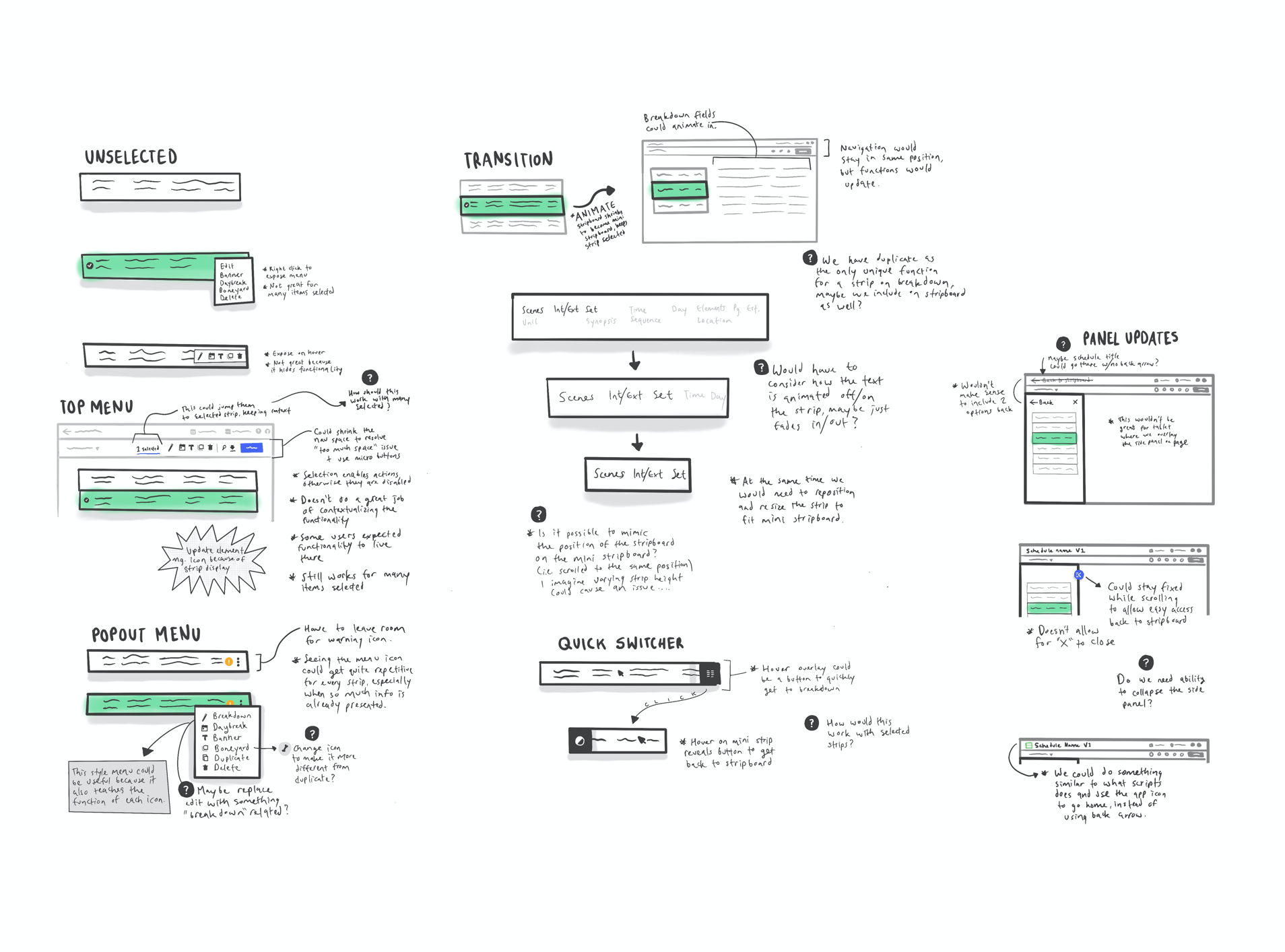
After the breakdown, users schedule production using the stripboard, where each scene is represented as a row. Users rely on strip information to organize scenes, starting with set name. High-level sorting enabled a first pass, and drag and drop helped users refine the schedule. During testing, users told us our strip selection menu was hard to find and took up too much space. A sketching session led to a more contextual menu, which we incorporated into the final designs.
Problem
Users need to manage resources (elements) for their production.
Solution
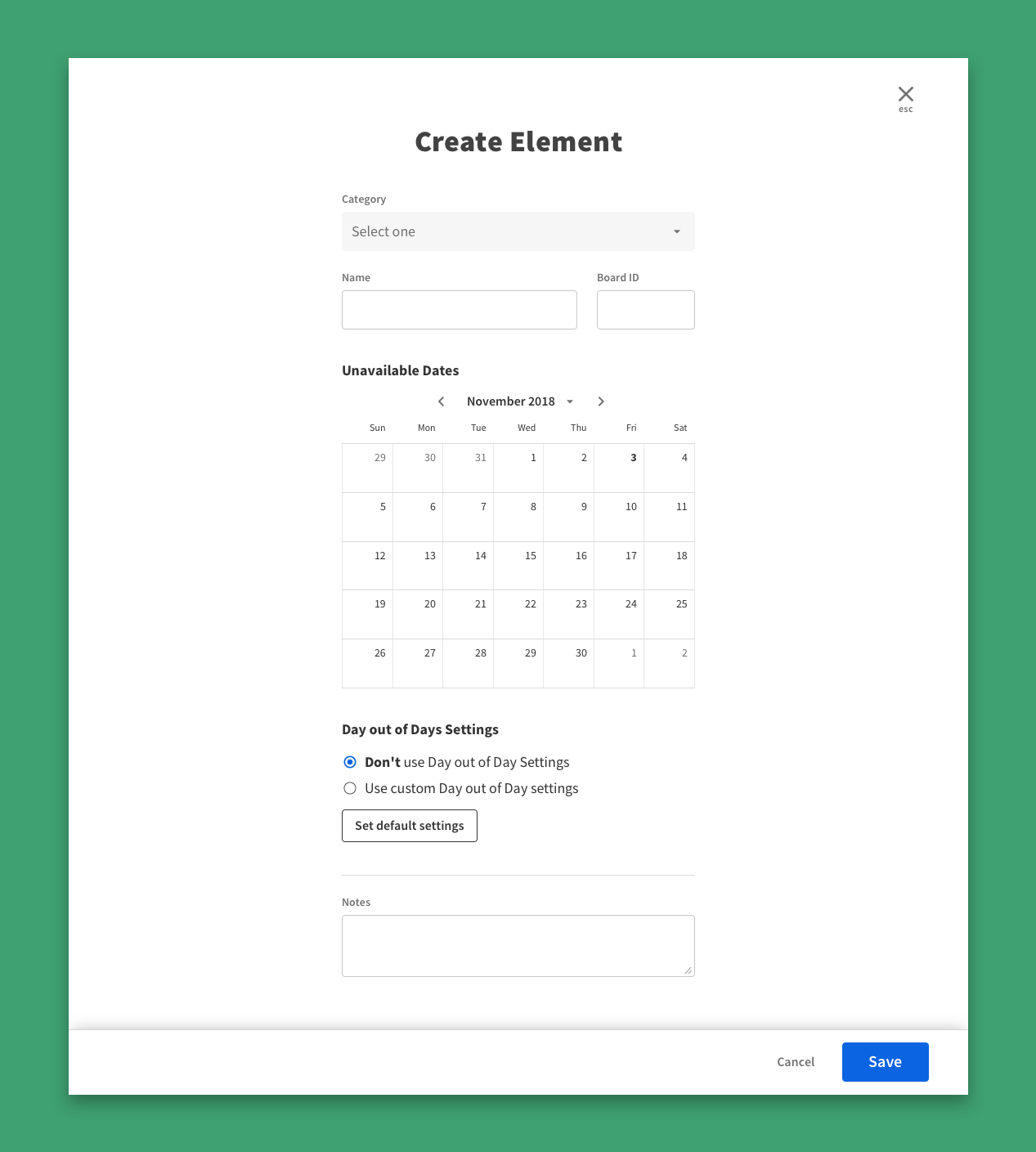
Elements created during breakdown are often added quickly and can be inaccurate. We built an element manager so users can edit elements, create new ones, and add helpful production details. The element manager also provides a clear overview of required resources.
Results
From the beginning, the goal was to build something Netflix could own. We laid the foundation– the applications, the design system, the infrastructure–and handed it over as a fully functioning suite. Netflix brought Prodicle in-house at the close of the engagement and continued to invest in and grow the project.
“We’ve been piloting Move for several months on a few of our biggest productions. Our partners on GLOW and A Series of Unfortunate Events are just a couple of examples who have been amazing in their willingness to change keys areas of their workflow to try something new. Within weeks of piloting the software and collecting feedback, our agile engineering teams were able to turn that feedback into new features which created a solid feedback loop for development. It’s the ideal partnership that we will continue to learn from and build upon.”
— Chris Goss
Director of studio technology at Netflix
Learnings
- Designing four apps required thinking beyond individual screens. Shared patterns, consistent interactions, and a unified design system (P|Core) were what made the suite scalable.
- Onsite research was essential. Visiting productions in person surfaced workflow nuances that remote sessions never could; including how contact lists get exported, how strip selection works on set, and how shoot days actually unfold in practice.